Introduction
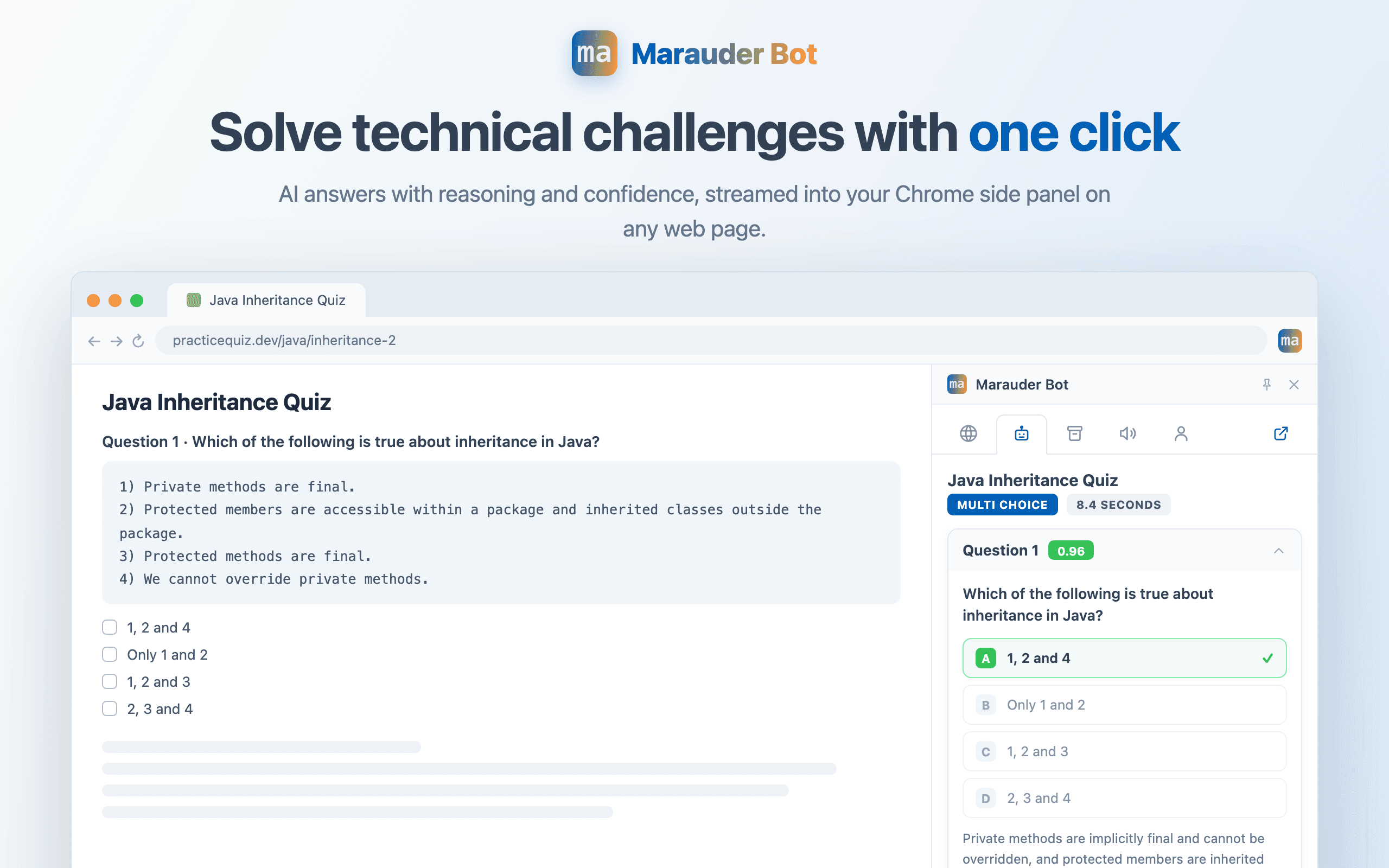
Marauder Bot is a stealth Chrome extension that tackles online technical questions instantly, empowering you to save time on interview prep and focus on solving real-world problems.
Quick Start
Sign up
Go to marauderbot.com and sign up for free.
Install the Chrome extension
Install Marauder Bot from the Chrome Web Store , or follow the install link on your dashboard .
After installing, click the puzzle icon in Chrome’s toolbar and pin Marauder Bot, so it is always one click away.
Pick a page to analyze
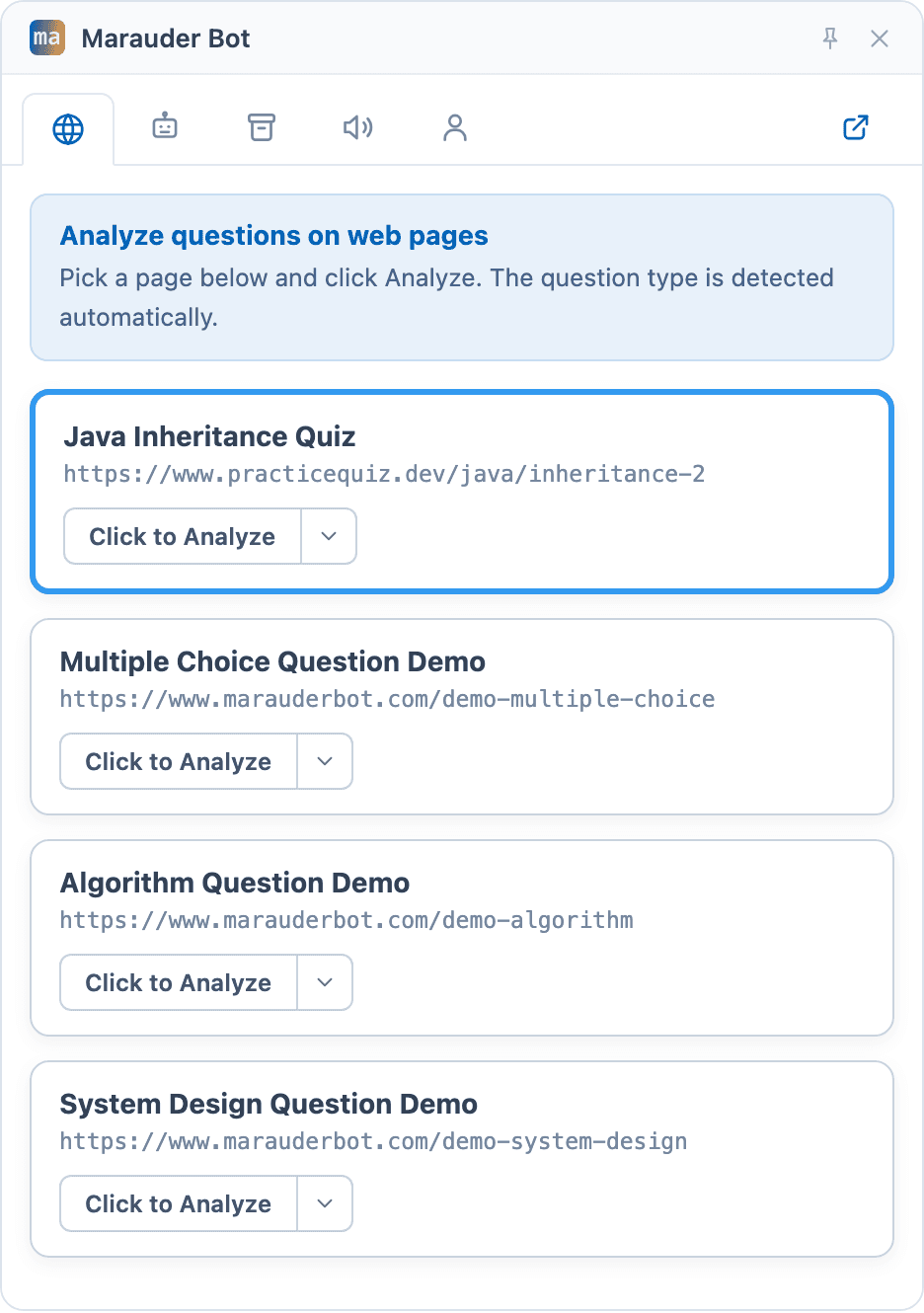
Click the Marauder Bot icon to open the side panel, and sign in if prompted. The Pages tab lists every open tab across all your Chrome windows. Select the page with the questions, then press Click to Analyze. There is no need to switch to that tab first.
Want to try it right away? Open the demo page , which has sample questions of every type.
Read the answers
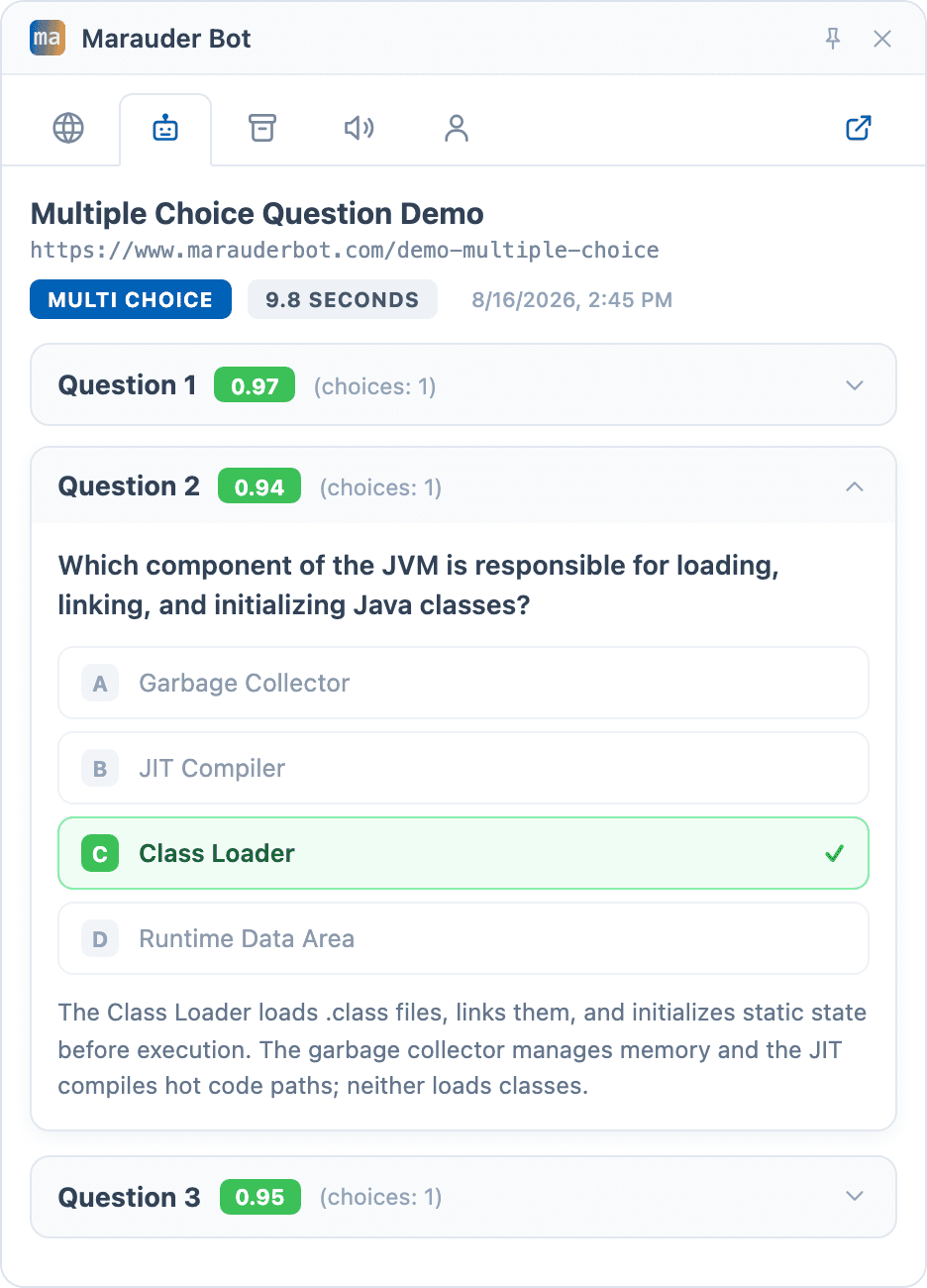
Answers stream into the Analysis tab as they are generated: the selected answer with reasoning and confidence for multiple-choice questions, working code with time and space complexity for algorithm questions, and a complete architecture for system design questions.
Next
Learn more about Marauder Bot: